 kitewire
Correct keyboard
Accents, cedillas, and shortcuts arrive identical across ABNT2, US keyboard, Mac, and Linux. There is no layout to configure.
Kitewire connects two computers over the internet in seconds. Screen, keyboard, mouse, sound, and clipboard work right from the first connection, even when no one is on the other side.
Version 0.1.6, in testing, for Windows and Linux. On Mac, for now, only to control other computers.
Every feature came from a real problem faced by people who use remote access every day.
Accents, cedillas, and shortcuts arrive identical across ABNT2, US keyboard, Mac, and Linux. There is no layout to configure.
The two computers talk directly whenever the network allows. The intermediary server only steps in when there is no other path.
You hear sound from the other side and copy and paste text and images both ways right from the first session.
Set a fixed password and Kitewire stays in the system tray, opening when the computer starts. You can connect at any time.
Everything travels encrypted between the two computers. The password never passes over the network, and after five wrong attempts the computer rejects new tries for a while.
No time limit and no disconnecting mid-session. Business features will come separately.
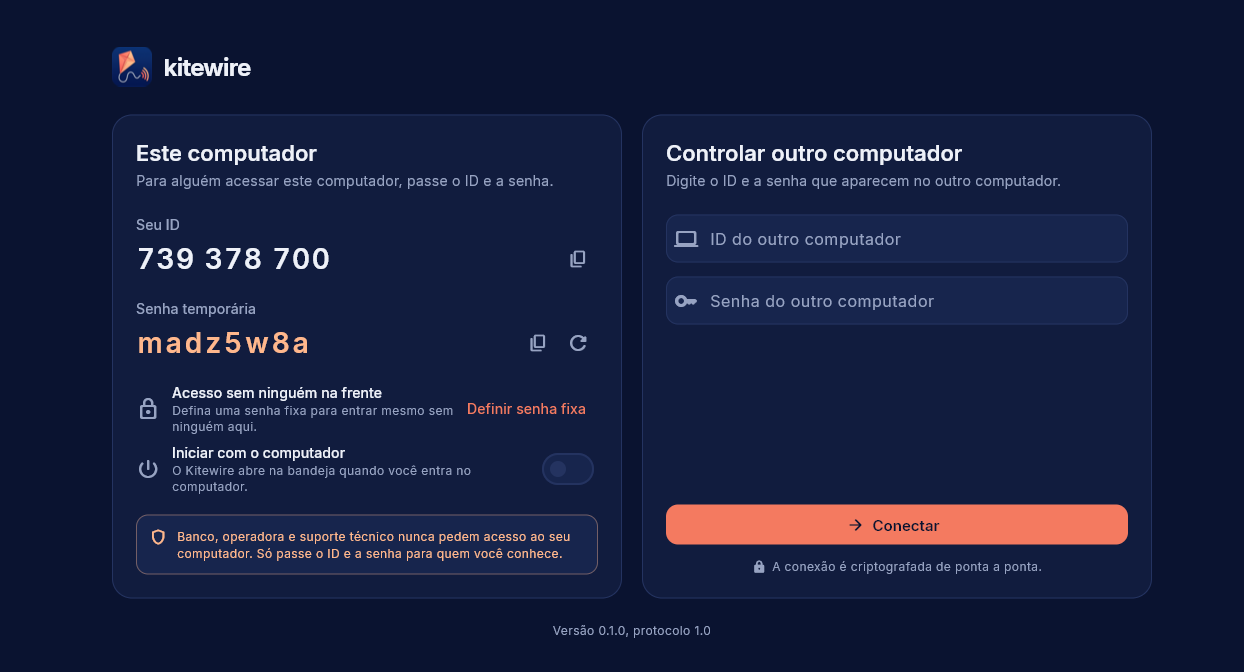
Download Kitewire on the computer that will control and on the one that will be controlled.
The person on the other side reads the ID and temporary password on screen. To connect without anyone around, use the fixed password.
Enter the ID and password, click Connect, and use the other computer as if it were yours.
Scammers call pretending to be from the bank and ask you to install a remote access program. Only give your Kitewire ID and password to people you know. While someone is controlling your computer, Kitewire shows a notice on the screen with a button to disconnect.